Login
Home
Login
Register
There was a problem loading the comments.
How to Delete Account Level/Global Email Filter in cPanel?
Support Portal
»
Knowledgebase
» Viewing Article
Print
06/19/2019 11:38 AM
Mail Filters & SPAM
1.
Open "
Account-Level Filtering
" in your cPanel Account.
2.
Under "
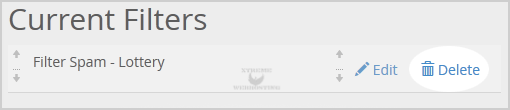
Current Filters
" you can see all of your existing filters. Click on "
Delete
" next to the appropriate filter name.
3.
Click on the "
Delete
" button.
4.
Now click on the "
Delete Filter
" button to remove your filter.
Share via
Related Articles
How to Create Account Level/Global Email Filter in cPanel to Fight Spam?
How to Edit Account Level/Global Email Filter in cPanel?
How to Delete "User Level Email Filter" in cPanel?
Self-Hosted Help Desk Software by
SupportPal
Categories
4
Backup/Restore
6
DNS - Nameserver
11
Databases
38
DirectAdmin
4
— Backup/Restore
8
— Database
8
— Domain Management
6
— Email
4
— FTP
7
— Mail Filters & SPAM
10
Domain Management
11
Email
6
— Mozilla Thunderbird
9
FTP
5
— FileZilla Client
6
Installing a Control Panel
8
Mail Filters & SPAM
11
Mobile
7
— Android
4
— iOS/Apple
3
Others
5
SSL (cPanel)
10
Security
60
SiteWorx (Control Panel)
2
— Backup/Restore
4
— Domain Management
6
— Email
2
— FTP
3
— Others
4
— Security
7
— SiteWorx Basic
32
— Softaculous
15
—— Blog
2
—— CMS/Portal
13
—— Forum
79
Softaculous (cPanel)
17
— Blog
45
— CMS/Portal
15
— Forum
19
SolusVM
6
— SolusVM Basic
13
— SolusVM VPS Management
18
WHM
12
— WHM (For Resellers)
5
— WHM (Root)
17
Wordpress
24
cPanel - Control Panel
© Scott Case Support Portal